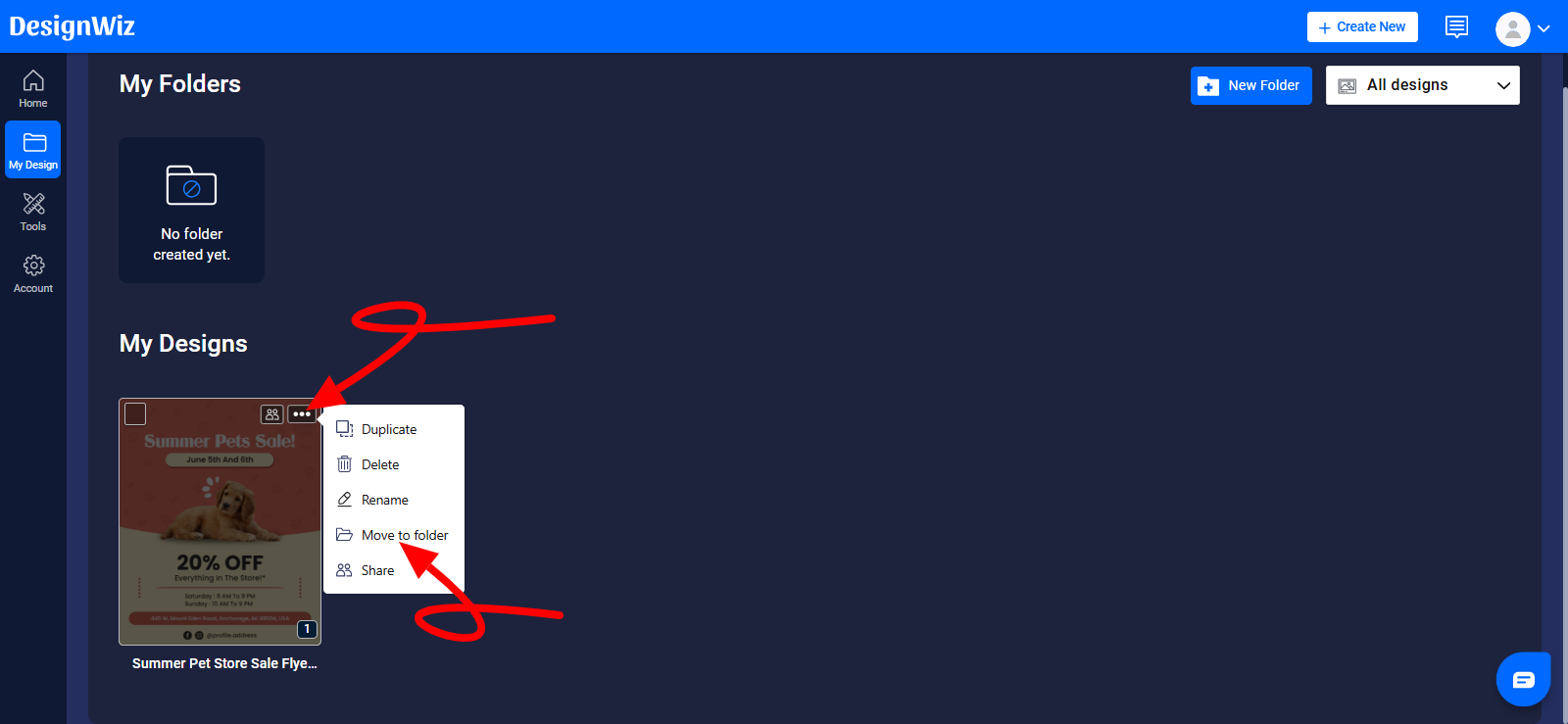
1. Click on the My Design tab from the Dashboard.

2. Hover over the desired design that want to move and click on three dots (...) to display a menu of actions.
3. From the dropdown menu, click on the Move to folder option.
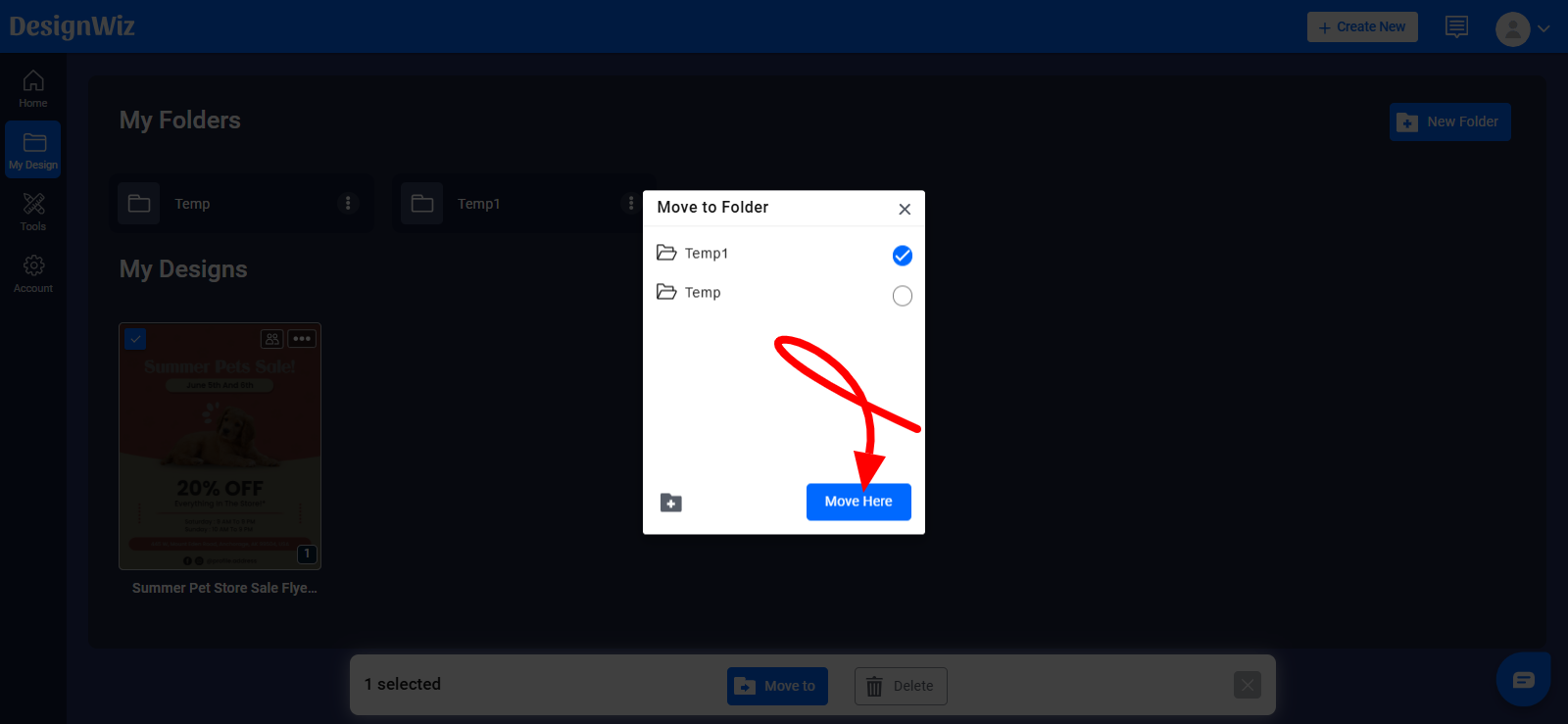
4. Select the folder where you want to move the design from the pop-up window, and then click on Move Here.
Was this article helpful?
That’s Great!
Thank you for your feedback
Sorry! We couldn't be helpful
Thank you for your feedback
Feedback sent
We appreciate your effort and will try to fix the article